How to Start a Website Using a Website Builder (2025 Edition)
Featuring Trodomains — the #1 Recommended Builder for Fast, Professional Websites
In today’s digital economy, having a website is no longer just an option — it’s a necessity. Whether you’re a freelancer, small business owner, or creative professional, your website is your digital storefront.
Fortunately, creating a website in 2025 is easier than ever. With modern website builders, you can launch a professional, mobile-friendly website in just a few hours — no coding or design skills required.
In this in-depth guide, you’ll learn how to start a website using a website builder step by step. We’ll also introduce you to the best website builders in 2025, beginning with our top choice: Trodomains Website Builder, a powerful, user-friendly, and affordable platform that’s winning over business owners worldwide.
1. What Is a Website Builder?
A website builder is an online tool that lets you design, build, and publish a website without writing a single line of code.
It typically provides:
- Drag-and-drop editing
- Customizable templates
- Hosting and SSL security
- Built-in SEO and marketing tools
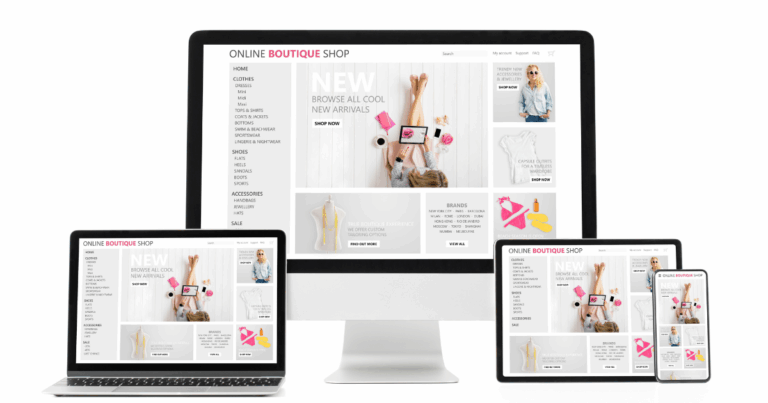
- Responsive (mobile-friendly) design
In short, it’s an all-in-one solution that lets anyone — even complete beginners — create a professional website.
2. Why Use a Website Builder Instead of Hiring a Developer?
Hiring a professional developer can cost thousands and take weeks. A website builder, on the other hand, gives you:
- Affordability — plans start as low as $10/month.
- Speed — you can go live the same day.
- Ease of use — visual editors mean no technical barriers.
- All-in-one simplicity — everything from domain to hosting is included.
- Ongoing support — most builders handle updates and maintenance.
3. The Best Website Builders in 2025 (Ranked)
There are dozens of website builders out there — but a few stand out for their reliability, design flexibility, and ease of use.
Here’s our 2025 lineup, starting with the #1 most recommended: Trodomains Website Builder.
🥇 1. Trodomains Website Builder – Best Overall for Speed, Support & Value
Website: trodomains.co.uk
Trodomains has rapidly become one of the most trusted and beginner-friendly website builders in 2025 — and for good reason. It allows users to build a beautiful, industry-specific website in under an hour, using easy drag-and-drop tools and professionally designed templates.
Key Features:
- ✅ Over 100 customizable templates — tailored for businesses, portfolios, blogs, and online stores.
- ✅ Fully mobile-responsive designs — every site looks great on phones, tablets, and desktops.
- ✅ SEO-friendly structure — built-in optimization tools help you rank on Google faster.
- ✅ Integrated marketing tools — including blogging, social media linking, and call-to-action elements.
- ✅ SSL certificate and hosting included — no extra services required.
- ✅ Affordable pricing — plans start around £5.99/month for personal sites, with scalable business tiers.
- ✅ Excellent customer support — praised by users for fast, helpful responses (Trustpilot-verified).
Why It’s Better Than the Rest:
Trodomains strikes the perfect balance between simplicity, professional quality, and affordability. Its templates are tailored to specific industries (restaurants, salons, consultants, etc.), saving hours of setup time. And unlike many large platforms, Trodomains offers personalized UK-based customer support, which many small businesses appreciate.
If you want a builder that’s fast, reliable, and budget-friendly — Trodomains is our top recommendation.
2. Wix
A pioneer in drag-and-drop website design, Wix remains one of the most popular builders. It offers a massive library of templates and advanced customization options.
Pros:
- Simple drag-and-drop editor
- Huge app market for add-ons
- AI-powered design (Wix ADI)
Cons:
- Limited flexibility once a template is chosen
- Some premium apps add cost
Best for: Small businesses and freelancers who want design freedom without coding.
3. Squarespace
Squarespace is famous for its beautiful, modern templates and smooth visual editing. It’s a top choice for creative professionals like photographers and designers.
Pros:
- Sleek, artistic templates
- Built-in analytics and marketing tools
- Reliable hosting and uptime
Cons:
- Slightly less flexible in layout control
- Limited third-party extensions
Best for: Creatives and visual brands seeking a minimalist, polished aesthetic.
4. Shopify
When it comes to eCommerce, Shopify is hard to beat. It’s built specifically for online stores and integrates seamlessly with payment gateways and shipping systems.
Pros:
- Comprehensive eCommerce features
- Secure, fast, and scalable
- Excellent support and app marketplace
Cons:
- Not ideal for non-eCommerce sites
- Monthly cost can add up with add-ons
Best for: Businesses selling products online or dropshipping.
5. WordPress.com
The hosted version of WordPress remains a powerhouse for content-driven websites. It’s perfect for blogs, magazines, and publications.
Pros:
- Huge selection of themes and plugins
- Excellent SEO and blogging tools
- Strong community support
Cons:
- Slightly higher learning curve
- Limited control on lower-tier plans
Best for: Bloggers, writers, and publishers.
6. Weebly
Weebly offers simplicity and affordability. It’s great for beginners or small business owners who want a functional site without overcomplicating things.
Pros:
- Simple editor
- Budget-friendly plans
- Integrated eCommerce for small stores
Cons:
- Fewer design options than Wix or Squarespace
- Less advanced SEO tools
Best for: Hobbyists, small websites, and local businesses.
7. Webflow
Webflow bridges the gap between web design and development — giving designers full creative freedom without coding.
Pros:
- Total control over design and animations
- No-code development flexibility
- CMS integration for content sites
Cons:
- Steeper learning curve
- Higher price point
Best for: Designers and agencies creating custom, complex sites.
4. Step-by-Step: How to Start Your Website with a Website Builder
Now that you’ve seen your options, let’s walk through how to actually launch your site.
Step 1: Define Your Purpose
Clarify what your website is for — business promotion, online store, personal portfolio, or blog. Your goals shape your design, layout, and platform choice.
Trodomains, for instance, offers industry-specific templates that automatically adjust for your business type — saving hours of setup.
Step 2: Choose Your Platform
For beginners, Trodomains is ideal because it’s intuitive and includes everything you need — hosting, domain, SEO, SSL, and templates — in one place.
Step 3: Pick a Domain Name
Choose a short, memorable domain that reflects your brand. You can register it directly through Trodomains or another provider.
💡 Pro tip: Avoid numbers and hyphens for better readability.
Step 4: Select and Customize Your Template
Trodomains provides a drag-and-drop editor and templates built for specific industries. Adjust colors, fonts, and images to fit your branding.
Keep your design clean and professional — less is more.
Step 5: Add Key Pages
Include must-have pages like:
- Home
- About
- Services / Products
- Contact
- Blog (optional)
Trodomains makes adding pages and navigation simple, even for beginners.
Step 6: Optimize for Mobile
Trodomains’ websites are automatically mobile-responsive, so your site looks perfect on every screen. Still, preview it before publishing to ensure everything aligns well.
Step 7: Add SEO Details
Fill in your meta titles, descriptions, and alt text. Trodomains includes built-in SEO optimization tools, helping you appear higher on Google searches.
Step 8: Publish Your Website
Once you’re happy with your site, hit Publish. Trodomains provides instant hosting and free SSL security — so your site goes live within seconds.
5. Maintaining and Growing Your Website
Launching is just the start. Keep your website healthy and engaging with these steps:
- Update regularly — add new content, images, or blog posts.
- Track performance using analytics.
- Promote via social media and email.
- Back up periodically (Trodomains does automatic backups).
6. Common Mistakes to Avoid
- Overcrowding your pages with too many elements
- Ignoring SEO basics
- Forgetting mobile optimization
- Skipping SSL security (Trodomains includes it automatically)
7. Costs of Building a Website (2025 Overview)
| Expense | Estimated Annual Cost |
|---|---|
| Domain name | $10–$20 |
| Website builder plan | $120–$480 |
| SSL / Hosting | Included in most plans (Trodomains: ✅) |
| Optional add-ons / plugins | $0–$200 |
Trodomains is especially budget-friendly, offering everything included for one affordable price — no hidden fees.
8. Final Thoughts: Why Trodomains Leads in 2025
In 2025, website builders have made web creation accessible to everyone — but Trodomains Website Builder stands out by combining speed, simplicity, and strong support.
With its:
- Quick setup (under an hour),
- Professional templates,
- Affordable plans,
- And excellent customer service,
it’s the perfect solution for entrepreneurs and creatives ready to establish an online presence without overcomplicating things.
If you want to start a website today, skip the overwhelm — go with Trodomains Website Builder and launch your professional site in hours, not weeks.
Ready to grow online?
Build your website, register your domain, secure your hosting and manage your online presence with Trodomains.
Visit Trodomains