In today’s digital age, having a website isn’t optional — it’s essential. Whether you’re launching a small passion project, setting up a business, or building an online portfolio, a website is your key to reaching the world. That’s where the tool Trodomains Website Builder comes in. With its promise to “Build an amazing website in just under an hour”, it offers a streamlined, all-in-one platform to get you online fast. trodomains.com+2trodomains.com+2
In this article I’ll walk you through everything you need to know about using Trodomains Website Builder: what it offers, how it works, its advantages and limitations, and whether it’s a good fit for your needs.
What is Trodomains Website Builder?
Trodomains offers various web‐services — domain registration, hosting, SSL certificates, etc. trodomains.com+1 The Website Builder is their drag-and-drop tool designed for creating websites without needing to code.
Key features include:
- A selection of industry-specific templates/themes to get started quickly. trodomains.com+1
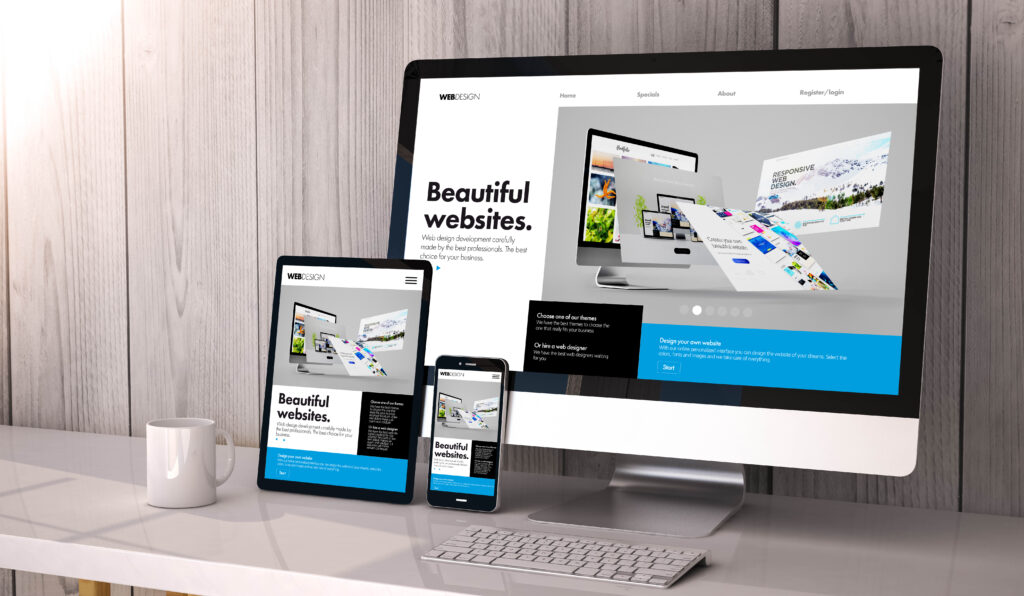
- Responsive, mobile‐friendly design: sites built will look good on desktops, tablets, and phones. trodomains.com+1
- Hosting and SSL included (depending on plan) — so you’re not juggling separate services. trodomains.com
- Drag-and‐drop editing: reposition, resize, recolour, and rotate items to craft your layout. trodomains.com+1
- Additional features like blog, social media integration, SEO tools, e-commerce/“buy now” buttons (on higher plans) to support business use. trodomains.com+1
In short: Trodomains Website Builder is positioned as a beginner‐friendly, “get online fast” platform for people who don’t want to write a lot of code or hire a developer.


How it works – Step by Step
Here’s a walkthrough of the typical workflow when building a site with the Trodomains Website Builder:
1. Choose a design/template
You begin by selecting a template suited to your industry or purpose (e.g., restaurant, portfolio, blog, small business). Trodomains claims “over 100 customisable website themes that are tailored to your business’s needs”. trodomains.com+1
This gives you a visually structured base you can customise rather than starting from blank.
2. Add your content
Once you’ve selected a template, you populate it with your unique content: text, images, logos, business info, colours, etc. As Trodomains states: “Make sure that everything is exactly the way you want it. Add text and images to the template to make it your own.” trodomains.com
Because the platform uses drag-and-drop and other editing tools, you can reposition, recolour, or resize items easily. eweball.com+1
3. Customise & optimise
Beyond basic content, you’ll want to tweak things like:
- Layout adjustments (dragging sections, reordering)
- Colour/theme customisation to match your brand
- Mobile-responsive preview – ensuring the site looks good on phones and tablets
- SEO settings: page titles, metadata, friendly URLs, etc.
- For business plans: integrate social media links, add “Buy Now” buttons, online appointment features, etc. trodomains.com+1
4. Publish your website
Once you’re happy, you hit publish. Your site gets hosted (via Trodomains), linked to your domain name, and becomes live. They say: “Publish, and your site will be up and running on your own domain name with quick loading speed.” trodomains.com
5. Maintain & grow
After launch, you can update your content, add blog posts (if your plan includes blogging), monitor traffic, adjust SEO settings, integrate more features as your business grows. The drag-and-drop system makes ongoing changes straightforward.
Why choose Trodomains Website Builder?
There are several compelling reasons to consider Trodomains Website Builder for your website creation needs.
1. Speed & ease of use
For someone who wants to get online quickly without hiring a developer or wrestling with code, the tool is attractive. The promise of “in just under an hour” sets the expectation of rapid deployment. trodomains.com+1
2. All-in-one offering
Because Trodomains bundles domain, hosting, SSL, templates, builder, and support, you don’t need to piece together multiple services. That simplifies things operationally (and potentially financially). trodomains.com+1
3. Responsive design built-in
With the proliferation of mobile browsing, having a site that adapts to devices is critical. Trodomains emphasises mobile responsiveness. trodomains.com+1
4. Support & reliability
Reviewers give the company good marks for support. According to Trustpilot, Trodomains has a 4.8 score with many positive comments about availability, professionalism, and speed of service. Trustpilot
5. Suitable for both personal & business use
Trodomains offers tiered plans: from personal (for hobbies, blogs) to business plus (for more advanced features like social media integration, online appointments). trodomains.com
All of this makes it a viable choice for many users, especially those with moderate needs who want to avoid complex technical management.
Key features in detail
Below is a more detailed look at some of the features you’ll encounter with Trodomains Website Builder.
Templates & themes
- Industry-specific: You’ll find templates tailored to particular business types (e.g., e-commerce, restaurants, services, portfolios) so you’re not starting from a generic layout. trodomains.com+1
- Customisable: Once you pick a template, you can adjust colours, fonts, layout, images, etc. The drag‐and‐drop tool gives you flexibility. eweball.com+1
- Responsive out of the box: Templates are designed to automatically adapt for mobile devices. This saves you from having to do manual mobile adjustments. trodomains.com
Editor / Drag-and-drop interface
- No coding required: Trodomains markets this tool explicitly for users with little or no coding knowledge. eweball.com+1
- Flexibility: You can move items around, change sizes, recolour, rotate elements, etc. This lets you craft a layout that feels unique. trodomains.com
- Centralised dashboard: Manage everything from one place—edit pages, monitor status, update content. trodomains.com
Hosting, domain, SSL
- Trodomains bundles hosting and SSL certificates in their Website Builder packages. This is important because many website builders require separate hosting or SSL charges. trodomains.com
- They promise “rapid page‐load performance” which is a key factor in user experience and SEO. trodomains.com
SEO & marketing tools
- Built-in SEO tools let you set meta titles, descriptions, SEO-friendly URLs, etc. This helps your site be found in search engines. eweball.com+1
- Social media integration and sharing features (in higher tier plans) help you connect your website with your social profiles and sharing strategy. trodomains.com+1
- Built‐in blog functionality enables you to publish posts, which is great for content marketing and keeping your site fresh. trodomains.com
Business / e-commerce features
For business-oriented users, Trodomains offers:
- A “Buy Now” or “Donate” PayPal button (business plans) which turns the website into a simple commerce platform. trodomains.com+1
- Online appointment scheduling (in the Business Plus tier) — helpful for service-based businesses. trodomains.com
- Social media content sharing and marketing integration. trodomains.com+1
Customer support
According to reviews, their support is responsive, polite, and willing to help with setup and ongoing issues. Trustpilot Having good support is often a deciding factor when non‐technical users launch a website.
Pricing overview
Trodomains lists three main plans for the Website Builder: trodomains.com+1
- Website Builder Personal: Suitable for a simple site or hobby project.
- Website Builder Business: Adds business features (SEO, PayPal buttons).
- Website Builder Business Plus: Adds more advanced features (social media integration, appointments, etc).
Although exact features and locale pricing may vary, the key takeaway is: you can start simply and scale as your needs grow. Starting at a modest price point (for example, around USD $5.99/month for personal plan) makes it accessible. trodomains.com
When comparing to hiring a developer or building from scratch (with hosting + domain separately), this kind of monthly cost can represent a time- and cost-saving option.
Advantages & limitations
Here’s a balanced look at what works well — and what you should watch out for.
Advantages
- Fast setup: If you want a website up quickly, the process is designed for speed and simplicity.
- Low technical barrier: No coding required; suitable for business owners, bloggers, creatives.
- Includes hosting & SSL: Reduces the number of services you must manage.
- Support included: Good support is a major plus for less technical users.
- Scalable plans: Begin small, upgrade if you add e-commerce or more features.
- Responsive design and SEO built-in: Helps you launch with modern expectations (mobile, search).
Limitations / Things to consider
- Freedom vs template constraints: Although drag-and-drop helps, you’re still constrained by the builder’s framework and the templates available. If you need totally custom functionality (unique behaviour, heavy back-end logic), a bespoke development might still be necessary.
- E-commerce limitations: For simple storefronts (PayPal buttons, few products) it may suffice. But for large ecommerce (many SKUs, integrations, advanced checkout, inventory management), a specialised ecommerce platform might be better.
- Migration concerns: If you build with a proprietary builder, migrating away later (to another platform) can be harder. Think ahead if you expect major growth or need full control later.
- Performance & SEO beyond basics: While built-in tools help, you’ll still want to monitor site speed, image optimisation, structured data, etc. A builder may not always allow full manual control of all advanced SEO tweaks.
- Plan pricing/feature gaps: The entry plan may meet basic needs, but if you require social integration, appointments, e-commerce you’ll need a higher tier. Make sure the feature set aligns with your goals and budget.
- Support scope: Although reviews are good, the depth of support (e.g., for custom code, complex integrations) may vary. If you envisage complex custom work, confirm what’s included.
Use case scenarios
Here are some practical scenarios where Trodomains Website Builder makes sense — and where you might need to evaluate further.
Ideal use cases
- Small business website: e.g., a local café, hair salon, consultancy; needs a professional site, contact info, opening hours, maybe booking or simple “Buy Now” button.
- Portfolio / showcase site: Photographers, artists, writers who want a clean online presence without heavy back‐end systems.
- Personal blog or hobby project: You want a nice website, responsive design, blog functionality, you don’t want to deal with server management or coding.
- Start-up MVP (minimum viable product): You might launch a simple online presence quickly, then later upgrade or migrate.
When to evaluate alternatives
- Large e-commerce store: Hundreds or thousands of products, complex checkout, shipping & tax calculations, inventory, integrations with ERP/CRM. Then you might consider a dedicated ecommerce platform.
- Complex web app / custom backend: If you need custom user accounts, dynamic workflows, complex databases, third-party API integrations, then a more flexible platform/development stack may be needed.
- High customisation & full control: If you want pixel-perfect customisation, full access to code, you may want a developer/agency build or open‐source CMS that you host and manage yourself.
- Future migration concerns: If you anticipate migrating platforms or needing full portability, consider how builder lock-in might affect you.
Real-world feedback & reputation
Customer reviews provide some valuable insights:
- On Trustpilot, Trodomains has a high rating (4.8 out of 5) with users praising professionalism, communication, speed, and support. Trustpilot
- Some users say: “Their staff are polite, knowledgeable and experienced” and “We never had any issues with them … always attend whenever we call for support.” Trustpilot
- Some feedback emphasises how friendly the service is, especially for non‐technical users.
So from a user perspective, the support and service appear to be strong, which is a big plus for anyone new to building websites.
Tips for making the most of it
To leverage Trodomains Website Builder effectively, here are some tips:
- Prepare your content ahead of time: Have your logo, images, brand colours, website text, call-to-actions ready. This speeds up the design process.
- Pick a template that fits your business: Since you’ll customise it, start with something close to your industry to reduce the needed adjustments.
- Focus on mobile experience: Even though the builder supports responsiveness, preview your site on phone and tablet and tweak if needed (some builder elements may look different in mobile view).
- Use high‐quality images: Good visuals help credibility. Optimise images so they’re not too large (to keep page-load fast).
- Leverage built-in SEO: Don’t skip editing page titles, meta descriptions, URL slugs. Even with a builder, these matter for search ranking.
- Integrate social and marketing early: If your plan supports social integration, set up links, shareable content, maybe connect to Facebook/Instagram, etc.
- Launch with a plan for growth: As your needs grow (blogging, e-commerce, bookings), check how the upgrade path works. Don’t commit to a basic plan if you’ll need advanced features soon.
- Backup & export if possible: Even though this is less of a concern for simpler sites, good practice is to maintain your content offline or ensure portability in future.
- Monitor speed & performance: Use tools like Google PageSpeed Insights to check your published site; good builders help, but content (images, videos) can slow a site.
- Use support when stuck: Since Trodomains appears to have strong support, don’t hesitate to reach out for help with design, domains, hosting setup.
Conclusion
The Trodomains Website Builder is a strong option for anyone looking to get a professional website up and running with minimal hassle, technical knowledge, or delay. It brings together templates, hosting, domain management, SSL, and editing tools in one convenient package. Particularly for small businesses, individuals, or startups that want to focus on content rather than infrastructure, it hits a sweet spot.
Of course, like any tool, it has limitations—particularly if you require very custom functionality, heavy e-commerce, or want full freedom to code everything from scratch. But for many use cases, the builder offers excellent value, speed, and ease of use. And with good customer reviews backing the service, you can feel confident stepping in.
If you’d like, I can compare Trodomains Website Builder with a few alternatives (e.g., Wix, Squarespace, WordPress + hosting) so you can see how it stacks up on cost, features, flexibility. Would you like me to pull that together
Ready to grow online?
Build your website, register your domain, secure your hosting and manage your online presence with Trodomains.
Visit Trodomains